We’re launching a standalone platform to help you easily identify whether online content was created using Google AI or tools from our industry partners.
EmbeddingGemma 2 is a compact, open-source multimodal embedding model that maps text, code, images, video, and audio into a unified 768-dimensional space. Developers can use the sentence-transformers library to selectively load modular modality encoders—ranging from 270M to 740M parameters—to optimize memory usage. Additionally, Matryoshka Representation Learning enables dynamic dimension truncation down to 128d, significantly reducing vector database storage requirements while maintaining high retrieval performance.
EmbeddingGemma 2 is a new 740M open-weight multimodal model that maps text, images, video, and audio into a unified vector space for privacy-first, on-device retrieval. Developers can easily integrate these capabilities cross-platform using MediaPipe Tasks or optimize fine-grained performance across CPU, GPU, and NPU accelerators with LiteRT. The model enables ultra-low-latency local solutions like search-as-you-type media retrieval, keyframe video moments finding, and zero-shot intent routing.
The Long Term Support Candidate LTC-150 has been promoted to ChromeOS LTS-150 and is rolling out to most ChromeOS devices. The current version is 150.0.7871.256 (Platform Version: 16700.66.0).
If you are currently on the ChromeOS Long Term Support (LTS) channel (and not pinned to 144), your devices will automatically update to ChromeOS LTS 150.
Hi, everyone! We've just released Chrome 155 (155.0.8059.39) for Android. It'll become available on Google Play over the next few days.
This release includes stability and performance improvements. You can see a full list of the changes in the Git log. If you find a new issue, please let us know by filing a bug.
Android releases contain the same security fixes as their corresponding Desktop releases (Windows & Mac: 155.0.8059.39/.40 Linux: 155.0.8059.39) unless otherwise noted.
Google Vids is improving the video creation experience with the introduction of point-in-time editing. This feature will help ensure that the canvas matches the video timeline 1:1. Previously, the canvas displayed all elements present across an entire scene all at the same time, regardless of when they appeared during the video. With this update, when a user is editing, they will see exactly what appears in the video at that specific timestamp, eliminating visual clutter from overlapping text boxes, stickers, and images.
This update simplifies the creation process by providing a true "what you see is what you get" editing workflow. Key improvements include:
Synchronized canvas display: The editing canvas dynamically updates as you scrub or move through the timeline, showing only the active elements at that exact moment.
Enhanced timeline interaction: Editors can click directly on object tracks within the timeline to move the playhead to that point.
Simplified scene management: Users no longer need to split scenes into smaller segments simply to manage multiple timed objects, making it easier to build multi-layered content like captions, lower thirds, and media overlays.
Point-in-time editing is the default behavior across all Google Vids sessions and requires no action from administrators. This streamlined experience will help users create polished video content more efficiently without managing overlapping elements.
Point-in-time editing in Google Vids
Getting started
Admins: There is no admin control for this feature.
End users: There is no end user setting for this feature. Visit the Help Center to learn more.
Rollout pace
Rapid Release domains: Gradual rollout (up to 15 days for feature visibility) started on September 29, 2026
Python is one of the primary languages at Google, powering everything from machine learning research to developer infrastructure and data pipelines. Across hundreds of thousands of files in our monorepo, fast and reliable static type checking is essential for maintaining code safety and developer velocity.
Today, Pyrefly—an open source type checker developed by Meta—is the Python type checker at Google.
Replacing our previous type-checking infrastructure with Pyrefly provided significant speedups for engineers and agents alike, while substantially reducing build-system compute resources.
Moving away from Pytype
For more than a decade, Google relied on Pytype, an internally developed type checker that pioneered Python type checking and collaborated with the open source community to create typeshed.
However, as Python’s typing system evolved rapidly, Pytype faced fundamental challenges. Because it operated by analyzing compiled bytecode rather than source ASTs, keeping pace with modern typing PEPs became an increasing maintenance burden due to bytecode instability across Python releases. In addition, it struggled to deliver the fast turnaround times required for modern development loops.
As detailed in the Pytype update, we decided that Python 3.12 would be the final supported version for Pytype, leading us to evaluate and adopt modern open source alternatives.
Why Pyrefly?
Pyrefly incorporates years of collective lessons from earlier tools across the Python typing ecosystem. When evaluating candidates to succeed Pytype, Pyrefly quickly stood out across three key areas:
Performance
Written in Rust, Pyrefly is designed for high throughput and lazy, parallel evaluation. In our internal benchmarks across various Google projects, it proved to be an order of magnitude faster than Pytype, while scaling smoothly across large dependency graphs.
Typing spec conformance
Pyrefly achieves strong conformance—scoring roughly 97% on the official typing conformance test suite—and is actively maintained to track new Python versions and typing PEPs. This comprehensive language support makes Python version upgrades across our monorepo smoother.
In addition to supporting new syntax, Pyrefly provides strict type safety in areas where Pytype was historically permissive. A notable example is unsound unions: Pytype allowed passing a value of a union type (such as int | None or int | str) to a function expecting a specific type (such as int), as long as at least one type in the union was compatible. However, Pyrefly enforces sound union checking, catching these mismatches:
# foo.py
def process_id(x: int) -> None:
    ...
def get_id() -> int | None:
    ...
val = get_id()
# Accepted by Pytype, but rejected by Pyrefly:
process_id(val)
Actionable error diagnostics
Pyrefly provides Rust-style compiler diagnostics, displaying the offending code snippet with inline annotations that point directly to the root cause of type mismatches, sometimes with suggested fixes. E.g., for the foo.py example above, Pyrefly produces:
ERROR Argument `int | None` is not assignable to parameter `x` with type `int` in function `process_id`[bad-argument-type]--> foo.py:8:12
|8 | process_id(val)
|^^^|
The declared type does not allow `None`. Consider narrowing the value with an `is not None` check.
Performance and infrastructure impact
Switching to Pyrefly brought measurable improvements across Google's developer ecosystem and infrastructure:
Up to 98% faster incremental rebuilds: In developer edit-and-rebuild workflows (with a warm daemon during active editing cycles), Pyrefly delivered up to a 98% latency reduction across various targets. On large machine learning targets, type-checking times dropped from minutes to seconds.
>90% critical-path reduction in clean builds: In cold-cache benchmark suites across major libraries and models, Pyrefly consistently reduced the type-checking share of the build critical path by 90% to 99%, eliminating a long-standing bottleneck in our build pipelines.
>80% compute hardware savings: Pyrefly reduced Google’s daily peak compute occupancy for Python type checking by more than 80%, saving thousands of machine cores every day.
To illustrate this impact on developer workflows, the chart below compares total edit-and-rebuild latency between Pytype and Pyrefly across targets of varying sizes.
Developer feedback
Beyond aggregate metrics, Pyrefly improved the day-to-day development loop, allowing engineers and AI coding agents to catch bugs faster.
Here is what engineers across Google have shared about their experience:
"I haven't waited for a Pytype action to complete since our project switched [to Pyrefly]. It is doubly awesome for agentic coding. Type checking is faster than running the tests now." — Peter Hawkins, JAX Tech Lead
"I really like that Pyrefly gives super clear errors that point out exactly what's wrong." — Yotam Doron, Gemini Large Scale Pretraining
“Investing in Python tooling pays huge dividends for research velocity: Pyrefly keeps our experimental iterations fast and catches subtle bugs early with clear, actionable errors.” — Tom Ward, GDM Science
Looking forward
Adopting Pyrefly highlights the value of uniting behind shared open source developer tooling. We are deeply grateful to the Pyrefly team for their rapid turnaround and responsiveness on upstream issues throughout our rollout. We look forward to continuing our collaboration and contributing to the Python open source community.
Trello for Google Workspace makes it easy to capture tasks and ideas from the conversations where they begin. With the app, you can create new Trello cards from emails and Google Chat messages, helping you keep Trello up to date without switching tabs or breaking your flow.
The refreshed app replaces and builds on the Trello for Gmail experience and adds the ability to create new cards from Google Chat. Existing Trello for Gmail users can continue using the app without reinstalling or reauthorizing it. To create cards from Google Chat, add Trello for Google Workspace to a Chat space or direct message and follow the sign-in prompt.
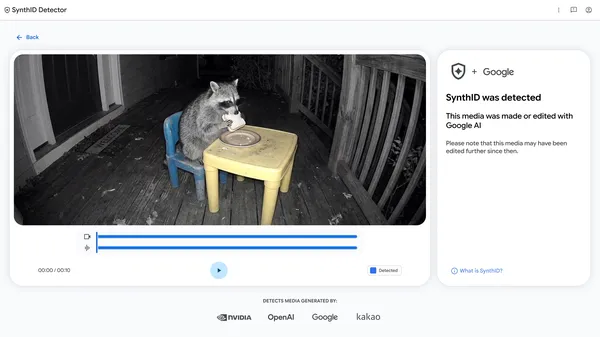 We’re launching a standalone platform to help you easily identify whether online content was created using Google AI or tools from our industry partners.
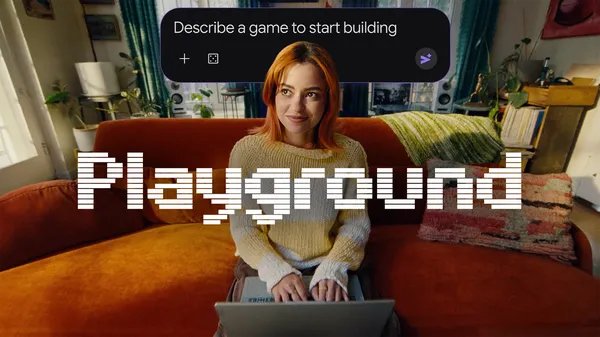 Playground is a new experimental gaming platform that lets you create, play, and share custom games.


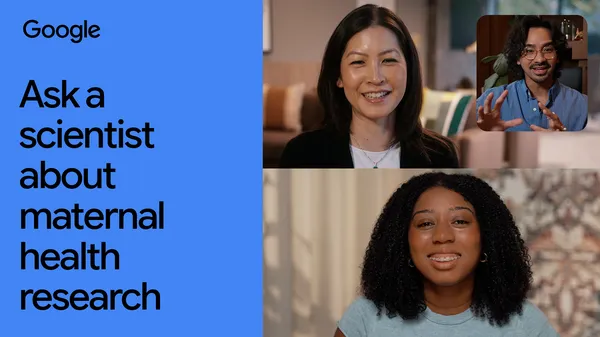 By pairing AI with “blind sweep” ultrasounds, Google researchers found a way to get more people the prenatal ultrasounds they need.
